«i» Insert group
 «i» Insert group:

     «c»                Add connector

     «t»                Add text

     «a»                Add arrow

     «A»                Add angled arrow

     «s»                Add Stencil Action Group

     «m»                Add Multiple Action Group

     «u»                Add Unicode Action Group

     «b»                Add Box Action Group

     «e»                Add Elements Action Group

     «r»                Add Ruler Action Group

     «l»                Add Line Action Group

     «k»                Add Connected Action Group
Stencil Action Group
Multiple Action Group
Unicode Action Group
Box Action Group
Elements Action Group
Ruler Action Group
Line Action Group
Connected Action Group
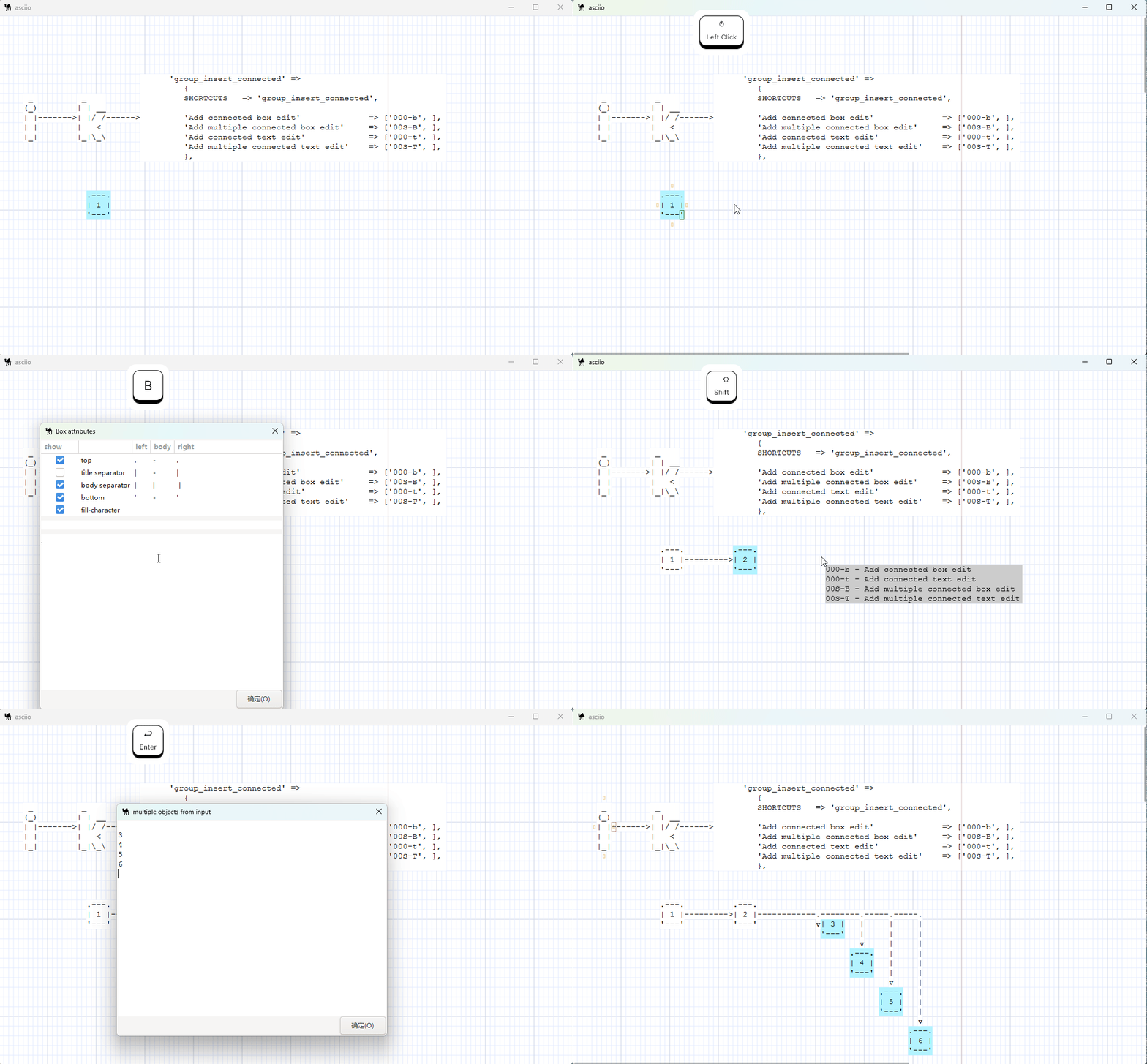
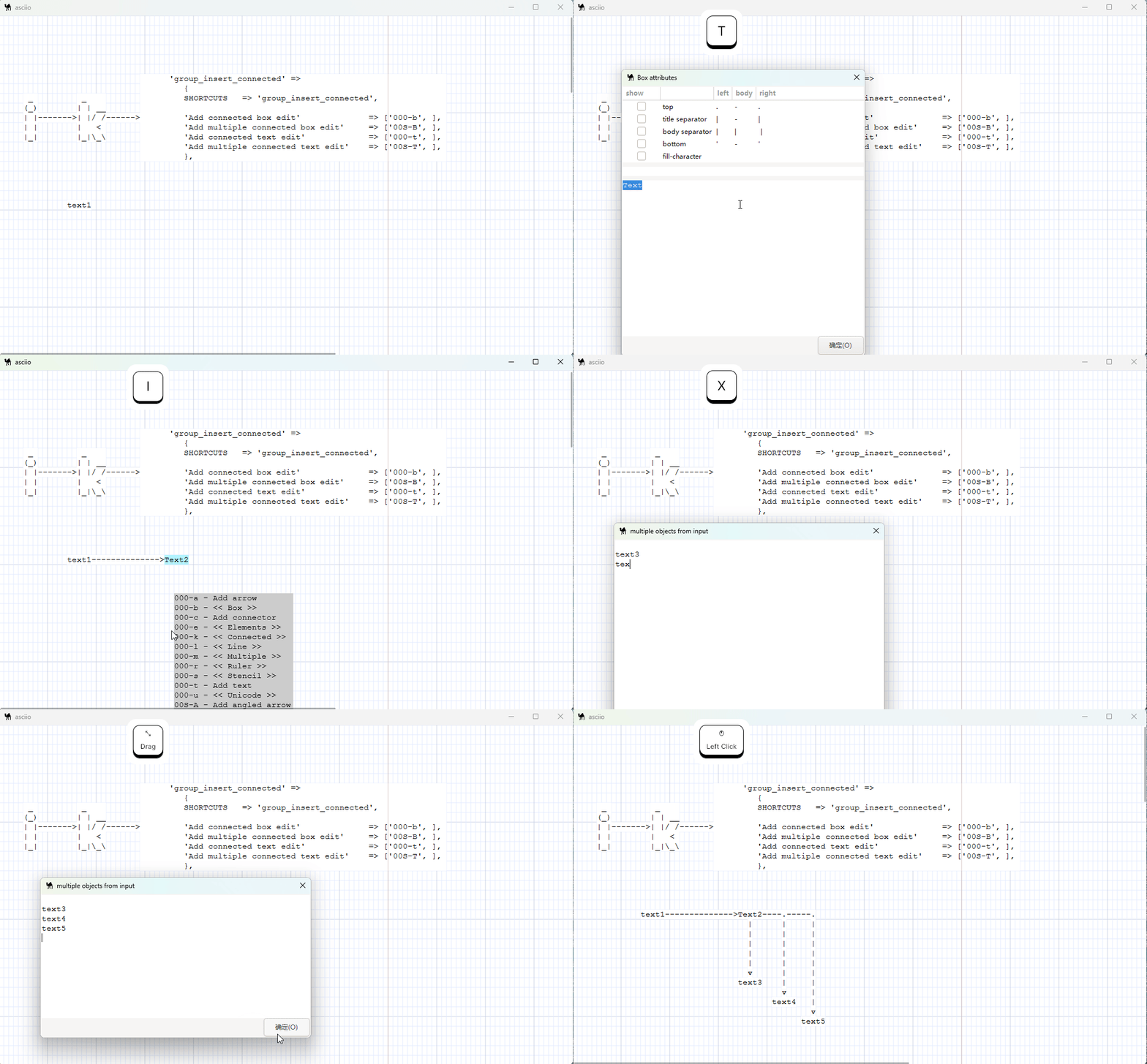
Starting from a box element or starting from a text element, automatically link to one or more new boxes or text.Here are two examples: