Selection
Select elements by:
- clicking on them
- «left-click» - select the element
- «Shift» + «left-click» - add the element to the current selection
- using the rectangular selection boxes - «left-click» + «drag»
There are more options for selecting elements:
- graph selection group
- mouse-drawn polygon selection
- mouse-move selection (with the left mouse button held down)
Graph selection group
Prefix: All operations require pressing «S» to enter the graph selection mode
| action | binding |
|---|---|
| Select neighbors | «n» |
| Select predecessors | «p» |
| Select ancestors | «a» |
| Select successors | «s» |
| Select descendants | «d» |
| select reachable | «r» |
| Select all connected | «c» |
.---------------------------------------------------------.
|                   all connected nodes                   |
|---------------------------------------------------------|
|             .----------.       .-----------.            |
|             | ancestor |---.---| reachable |            |
|             '----------'   |   '-----------'            |
|                            |                            |
|                            |                            |
|                            v                            |
|                .----------------------.                 |
|        .-------| predecessor-neighbor |                 |
|        |       '----------------------'                 |
|        |                  |                             |
|        v                  v                             |
| .-----------.          .------.                         |
| |    not    |  .-------| node |--------.                |
| | reachable |  |       '------'        |                |
| '-----------'  |                       |                |
|                v                       v                |
|     .--------------------.  .--------------------.      |
|     | successor-neighbor |  | successor-neighbor |      |
|     '--------------------'  '--------------------'      |
|                |                       |                |
|                v                       v                |
|         .------------.          .-----------.           |
|         | descendant |          | reachable |           |
|         '------------'          '-----------'           |
'---------------------------------------------------------'
Polygon and Mouse-move selection mode
Entering and exiting selection mode
Prefix: All operations require pressing «s» to enter the selection mode
| action | binding |
|---|---|
| Enter selection mode | <<s>> |
| Exit selection mode | <<Escape>> and <<<s>>> |
| Toggle selection and deselection | <<<e>>> |
| Select motion | <<<mouse_motion>>> |
| Select mouse click | <<<mouse_left_button>>> |
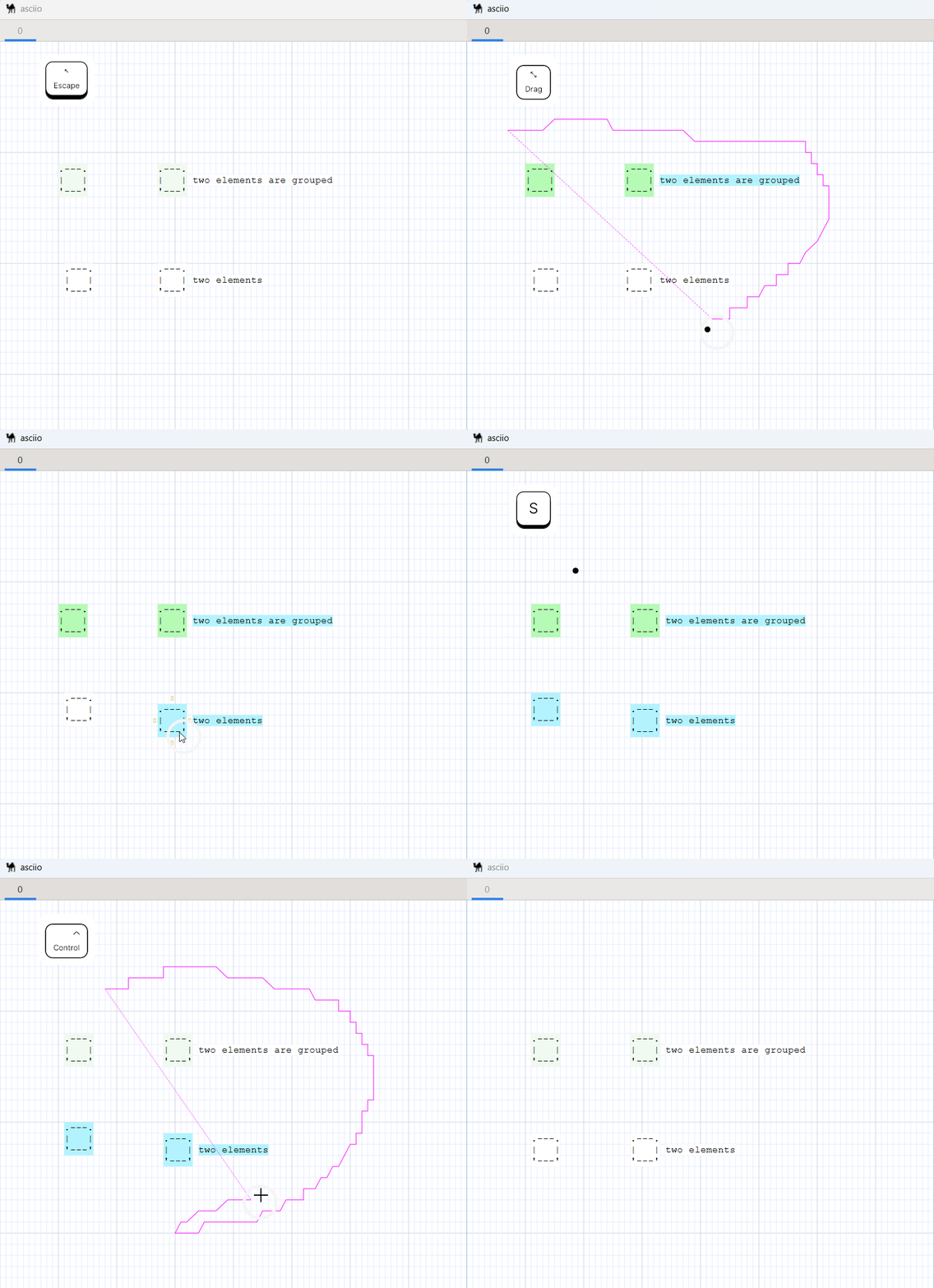
| Enter the polygon selection operation group | <<<x>>> |
Polygon selection operation group operation collection:
| action | binding |
|---|---|
| Exit polygon selection mode | <<<Escape>>> and <<<x>>> |
| Polygon select motion | <<<mouse_motion>>> |
| Polygon deselect motion | <<<Ctrl-mouse_motion>>> |
Operation after entering selection mode
Common selection operation example:
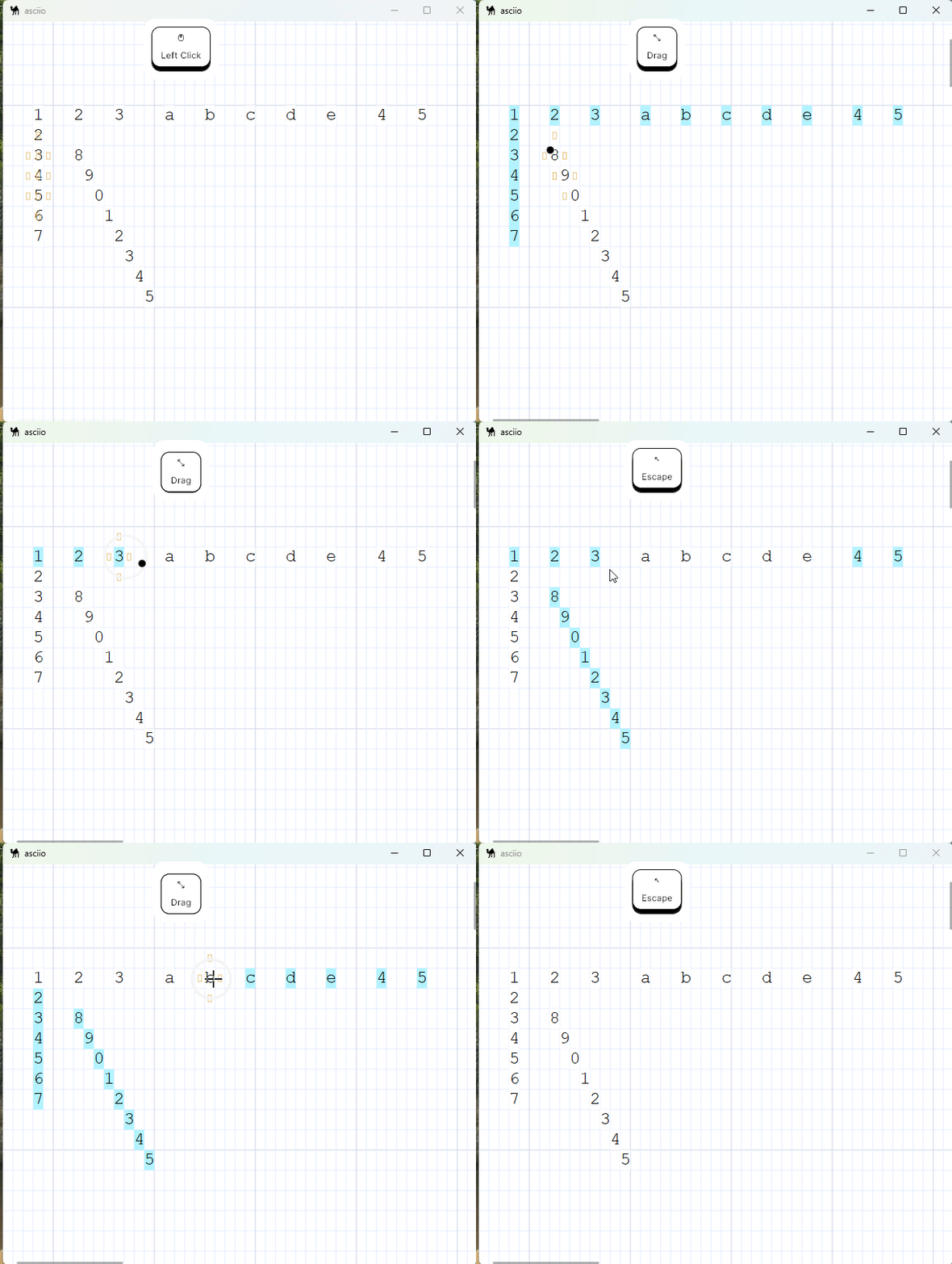
Operation after entering polygon selection mode
- selection situation.
- deselection situation.